
Image
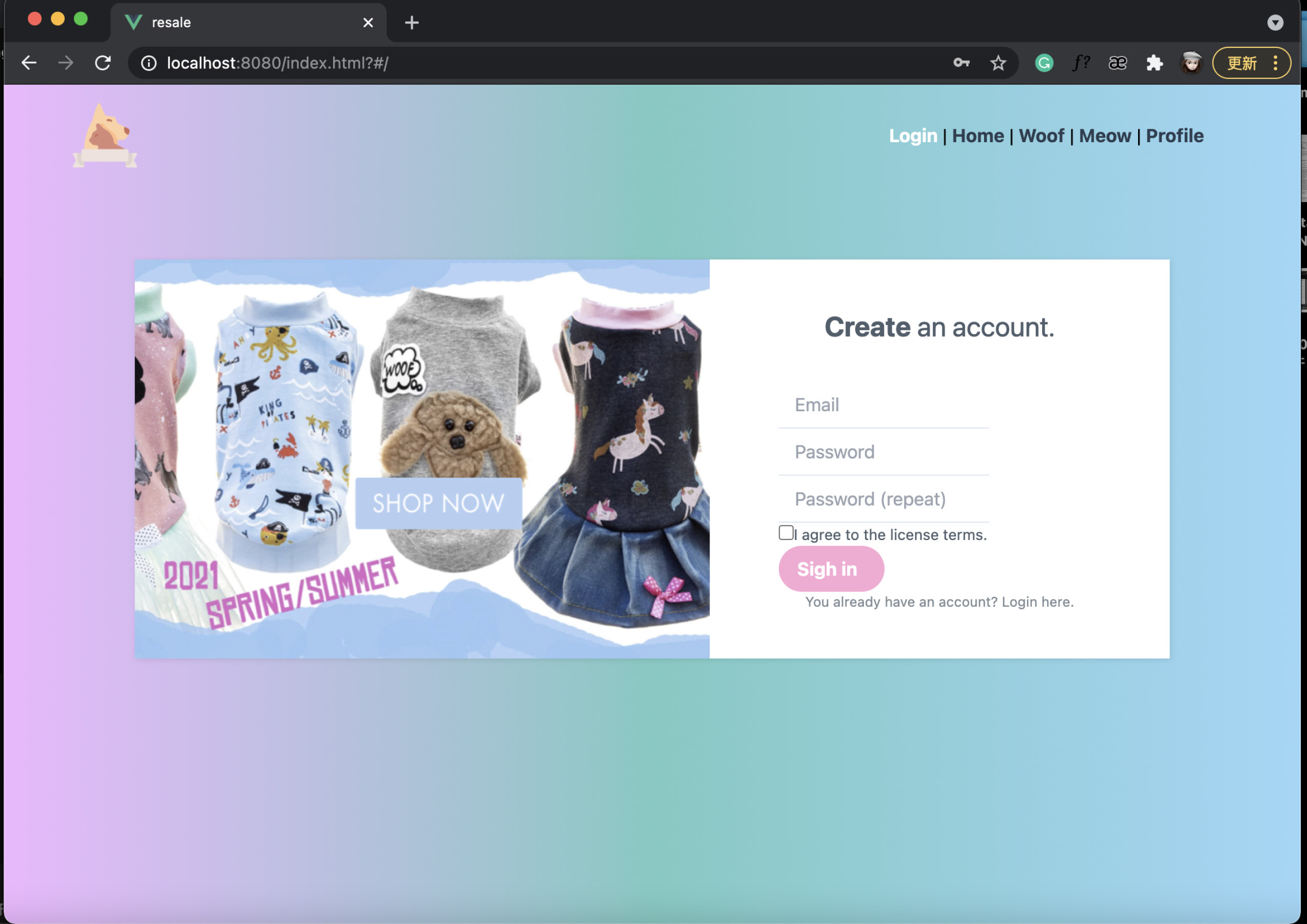
Here, the first thing you have to do is to log in to your personal account, you can enter your account and password, and click this box to confirm your agreement to the license terms, and then you can click the login button to enter my website.
Image
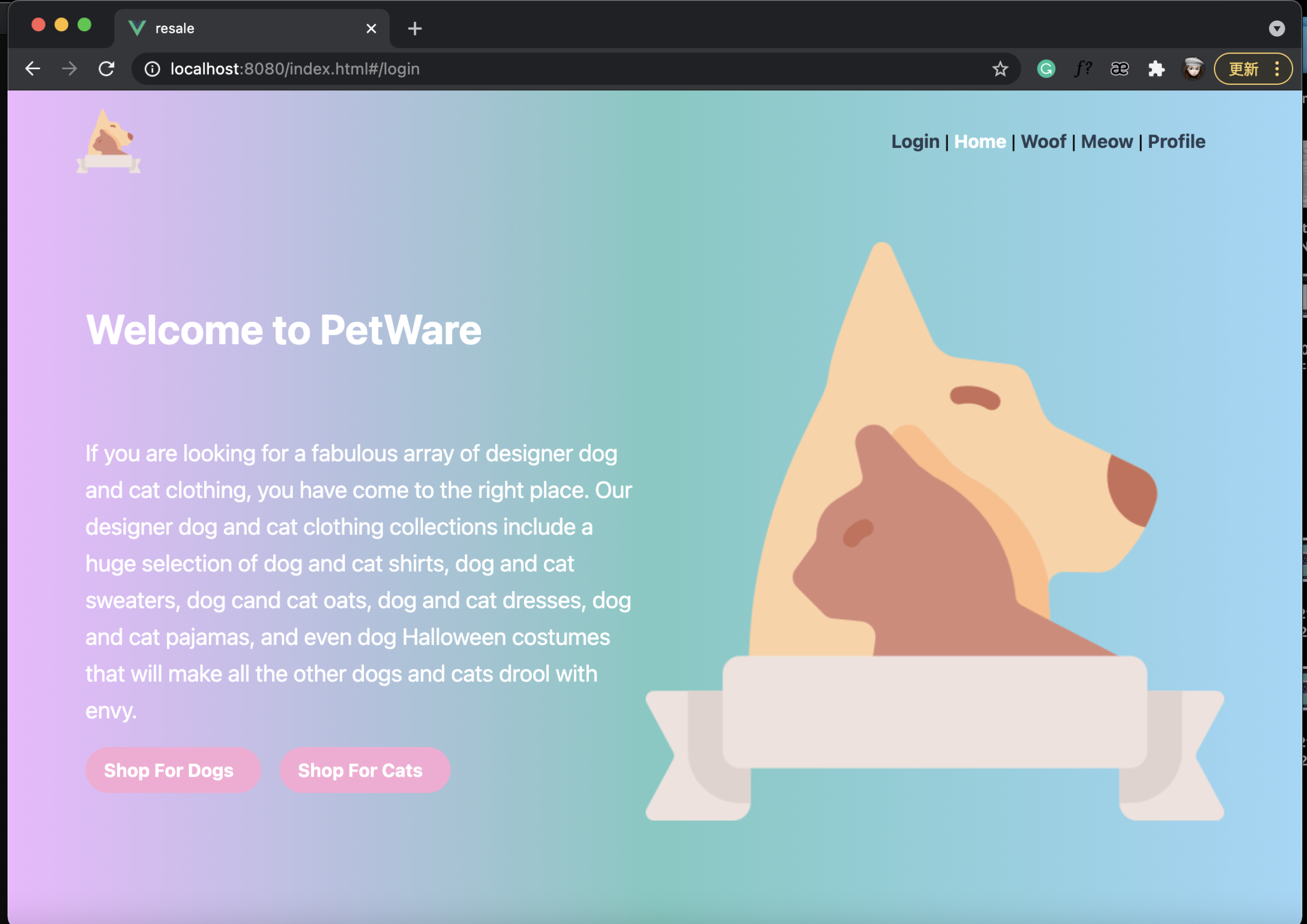
After entering my website, you will first see my website profile and my logo. Under the website profile, you will also see two buttons, which are buying dog clothes and buying cat clothes.
Image
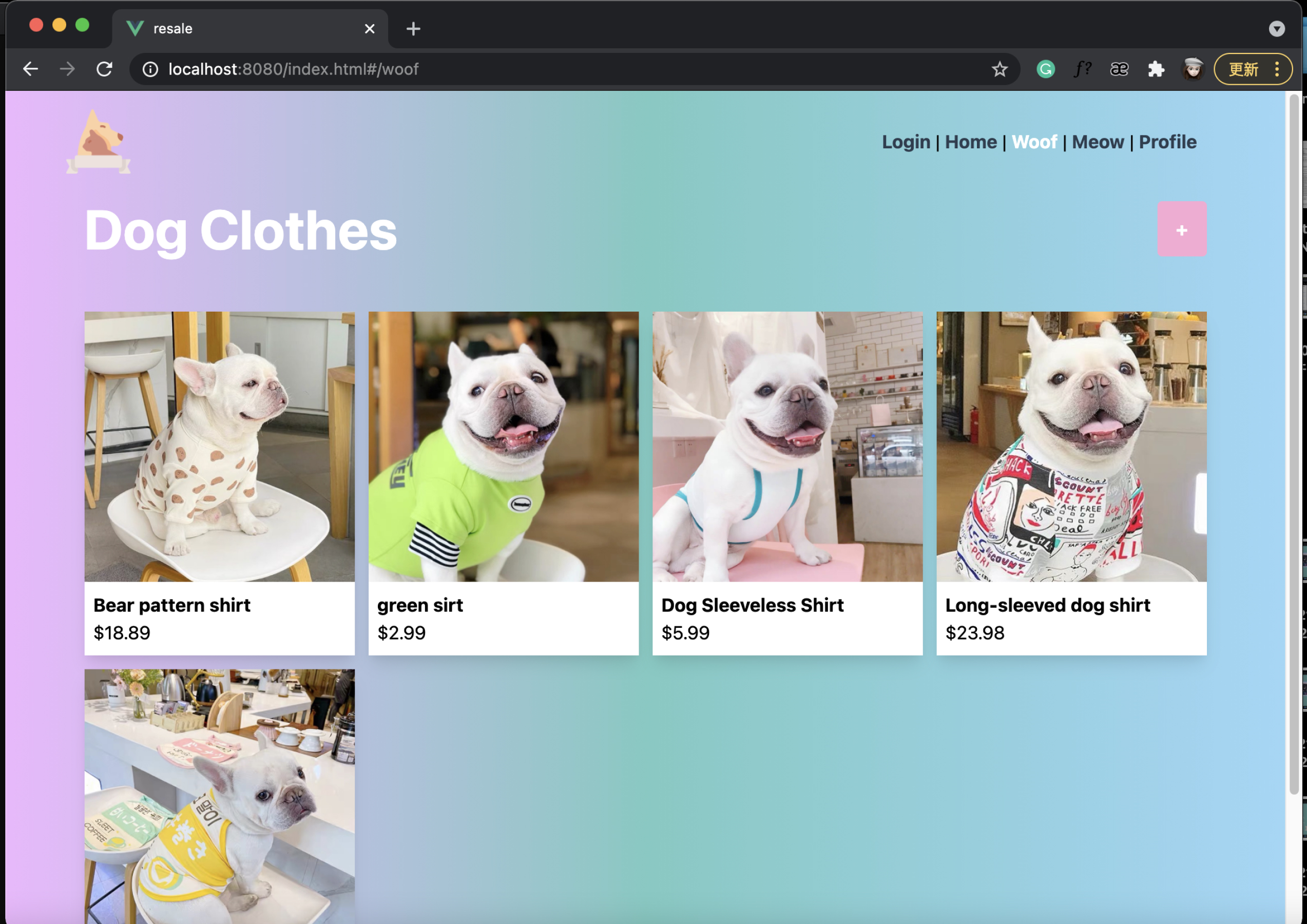
When I click the button to buy dog clothes, the page will jump to the dog clothes page.
Image
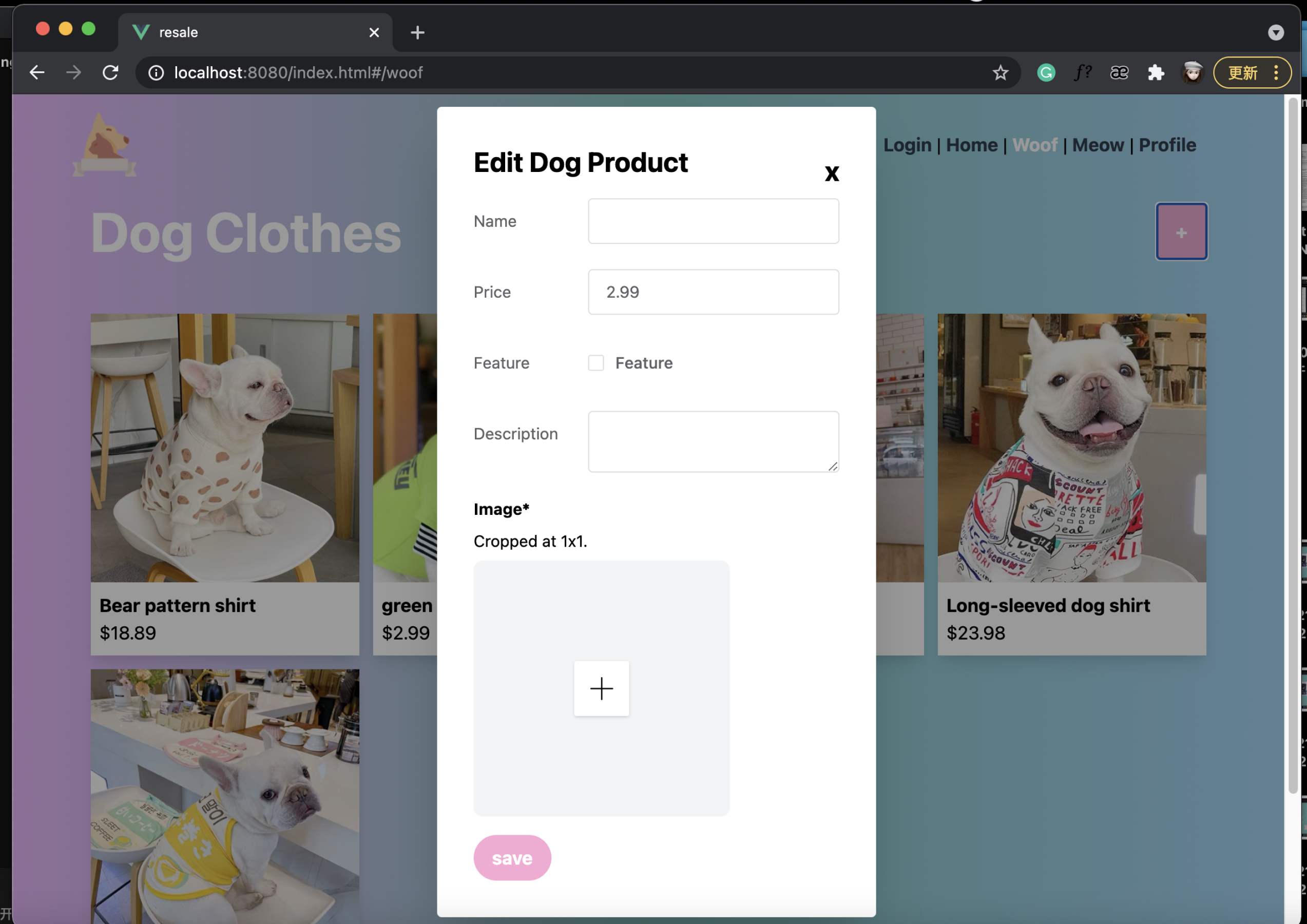
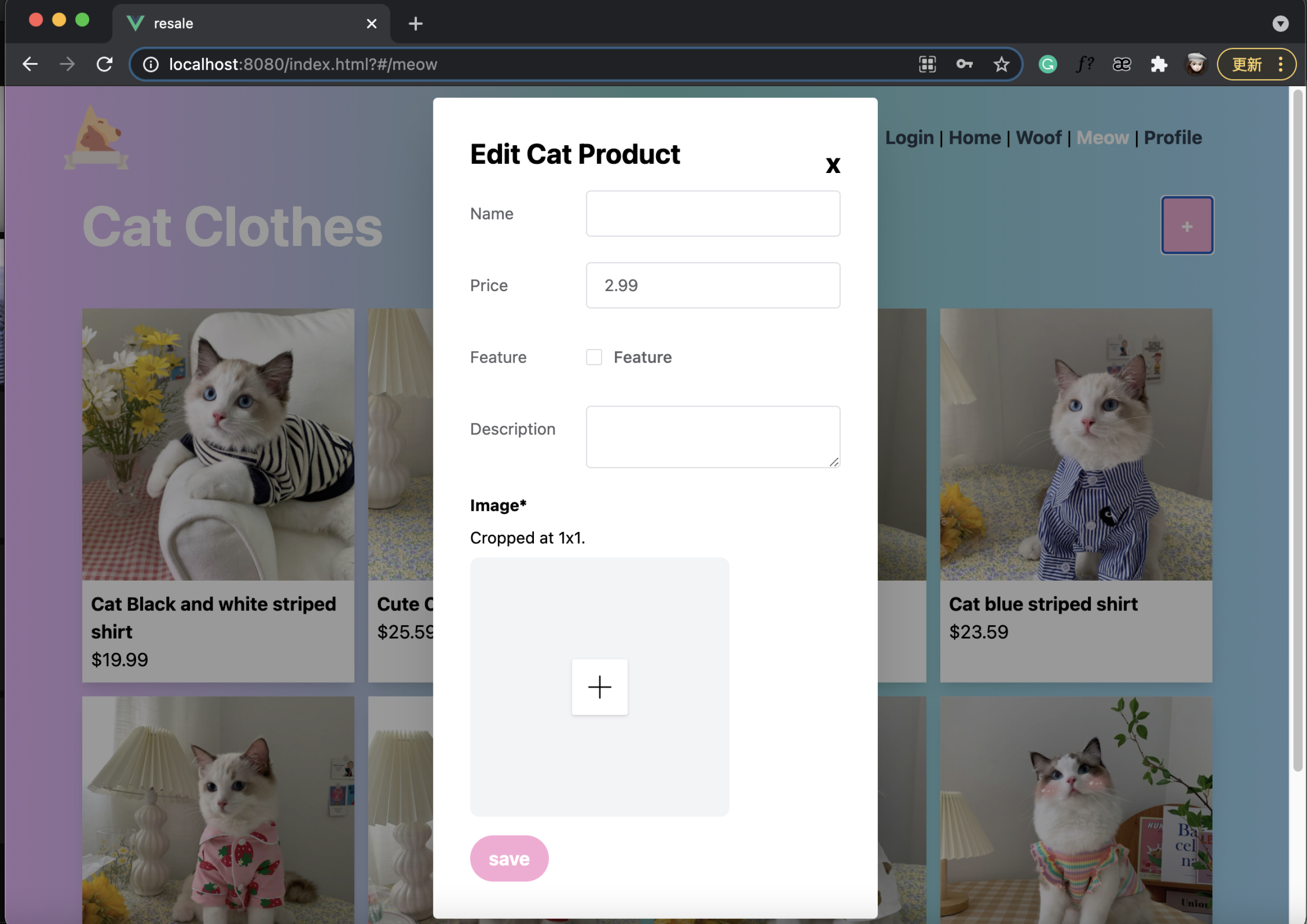
Here, I can add new pet clothes by clicking the add button. I need to enter the name, price, brief description of the clothes, and click the save button after uploading the pet clothes picture.
Image
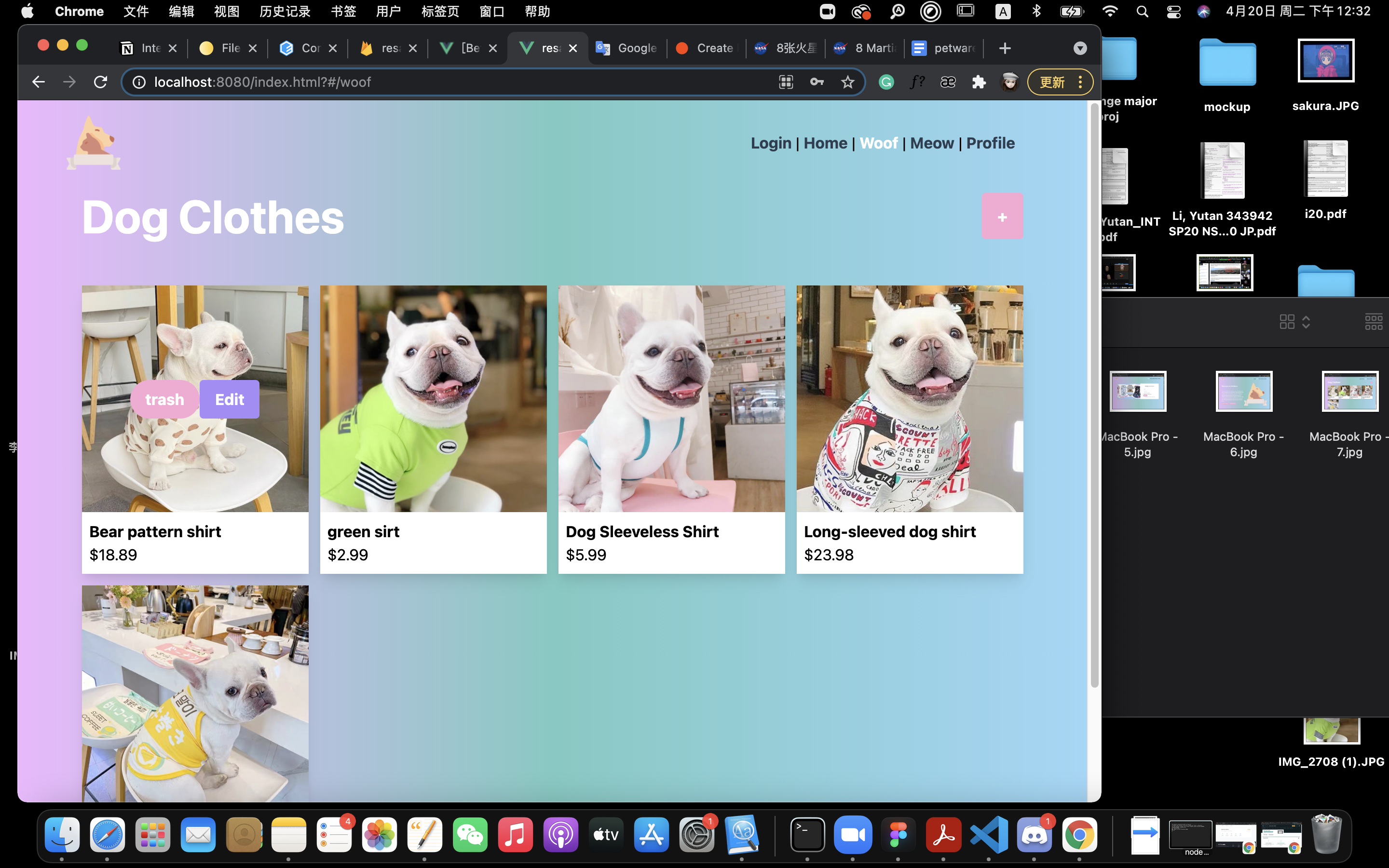
A new product will be added on this page. And, if I personally enter the wrong information, I can edit it by clicking the edit button in the product. If I have sold an item, or when it is out of stock, I can choose to delete the item. At this time, the item will disappear from my webpage.
Image
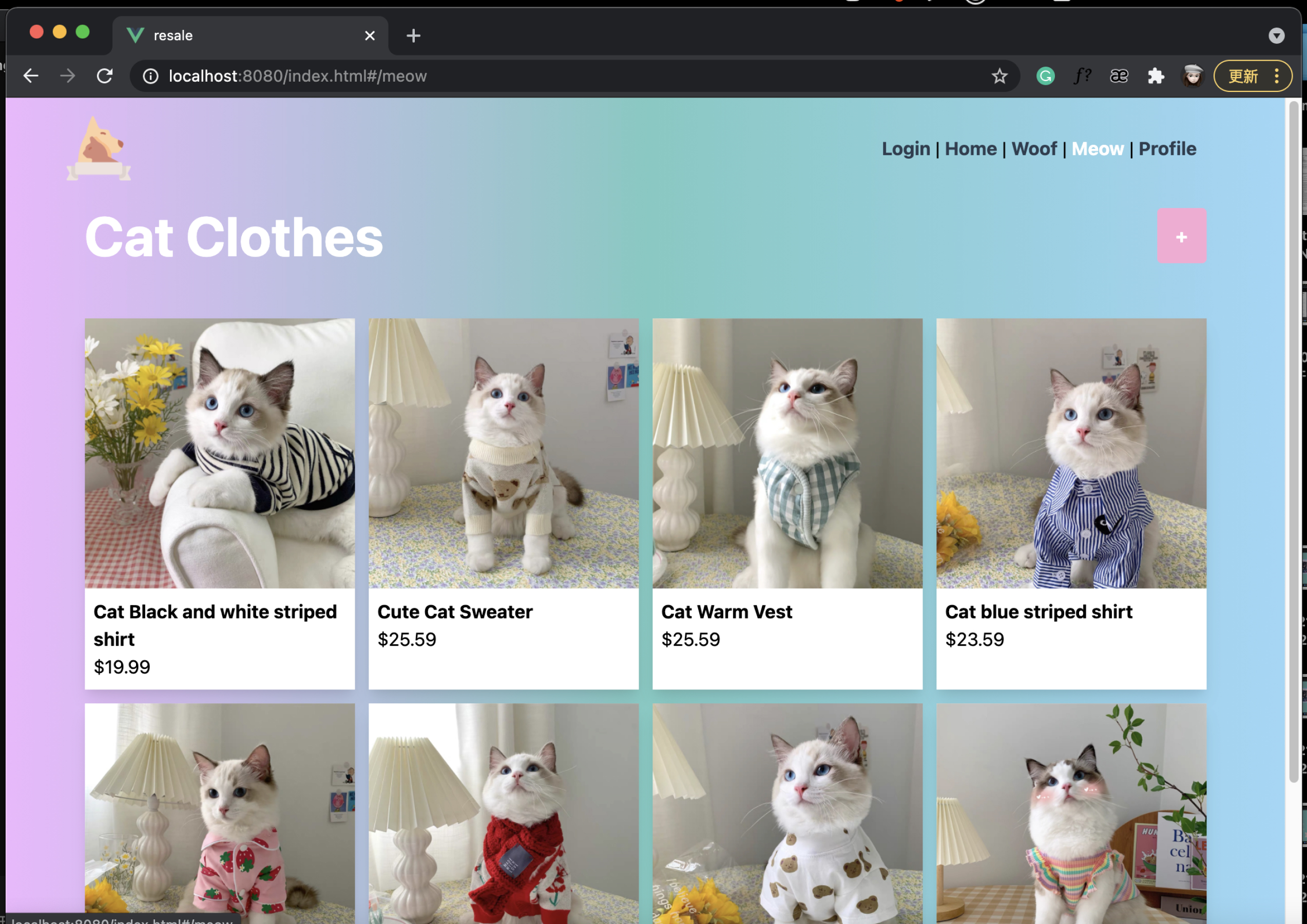
Of course, I can jump to the cat item page by clicking on the meow page in the navbar.
Image
The layout and basic functions are the same as the dog clothing page.
Image
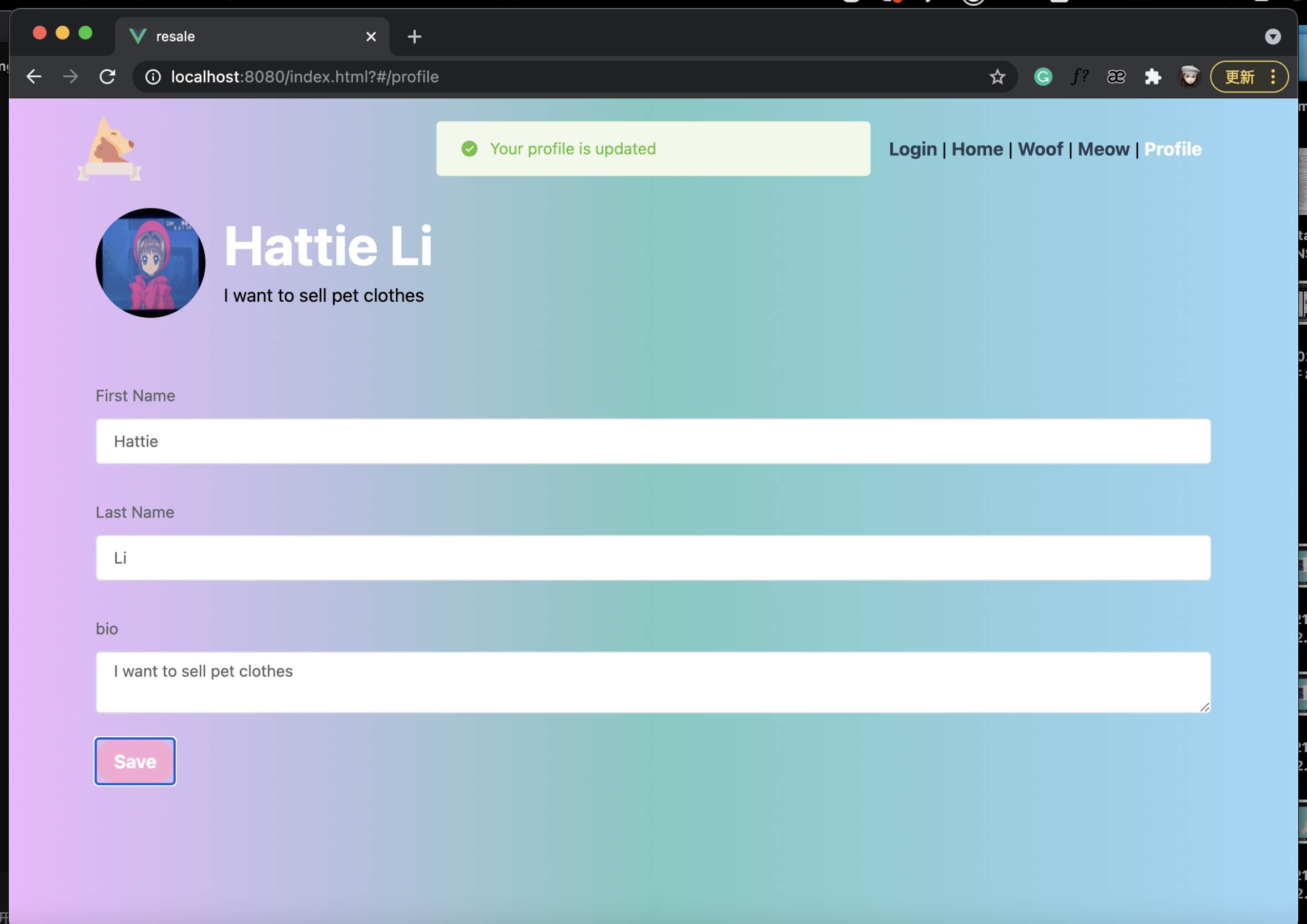
The last thing I want to introduce is my profile page. On this page, I can change my basic information, such as my name, and bio. For example, if I want to change my name, I can make the changes directly in the box. After finishing, I can click the save button, At this time, my name will be updated to the name I just changed, and there will be a prompt box at the top of the page to show that my change was successful.